
Guide 2 of 9
Create your account and your organization
Your account is for the people who run the sessions. The people who read along never sign up. It takes about two minutes.
-
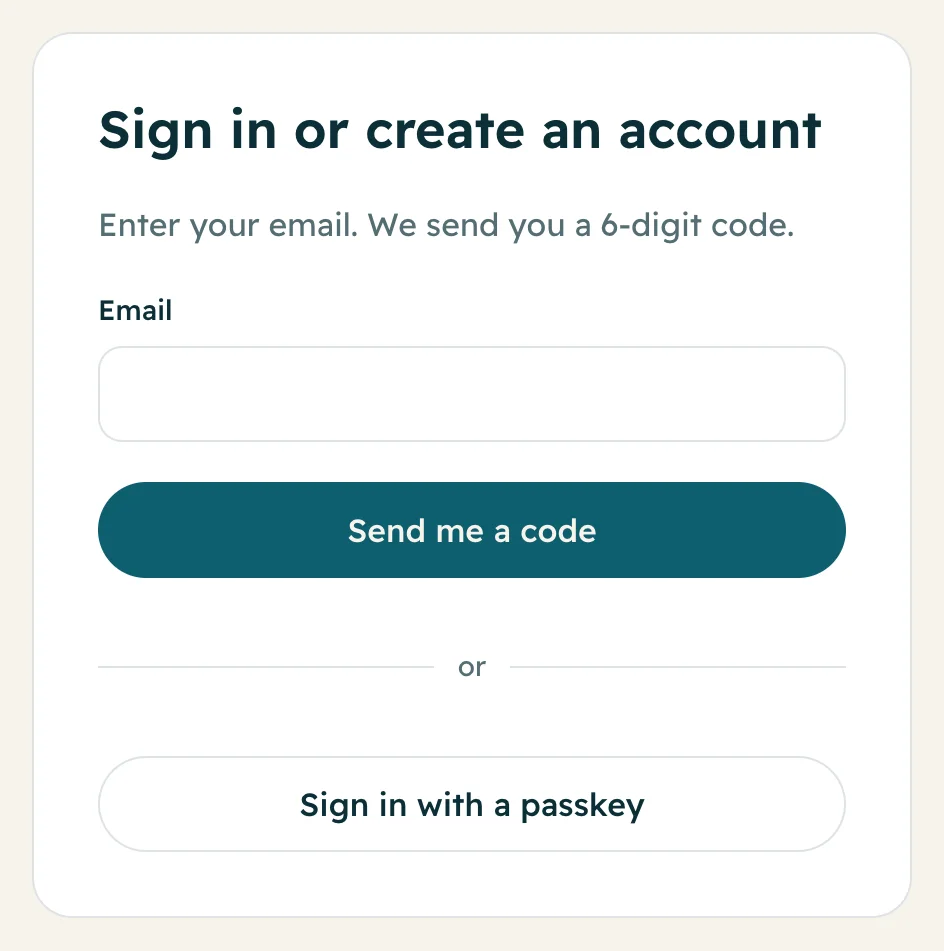
1Enter your email
Go to app.livekhutbah.com. Type your email and press Send me a code. There is no password to remember.
-
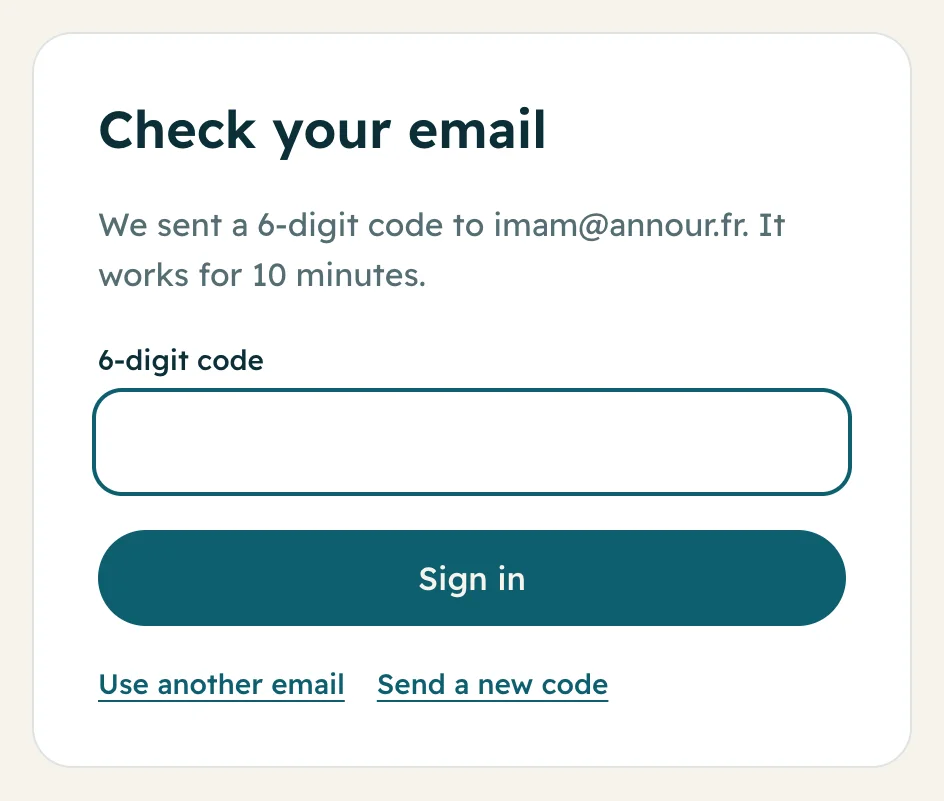
2Type the 6-digit code
Open the email we sent you and type the 6-digit code. It works for 10 minutes. No email? Look in your spam folder, or press Send a new code.
-
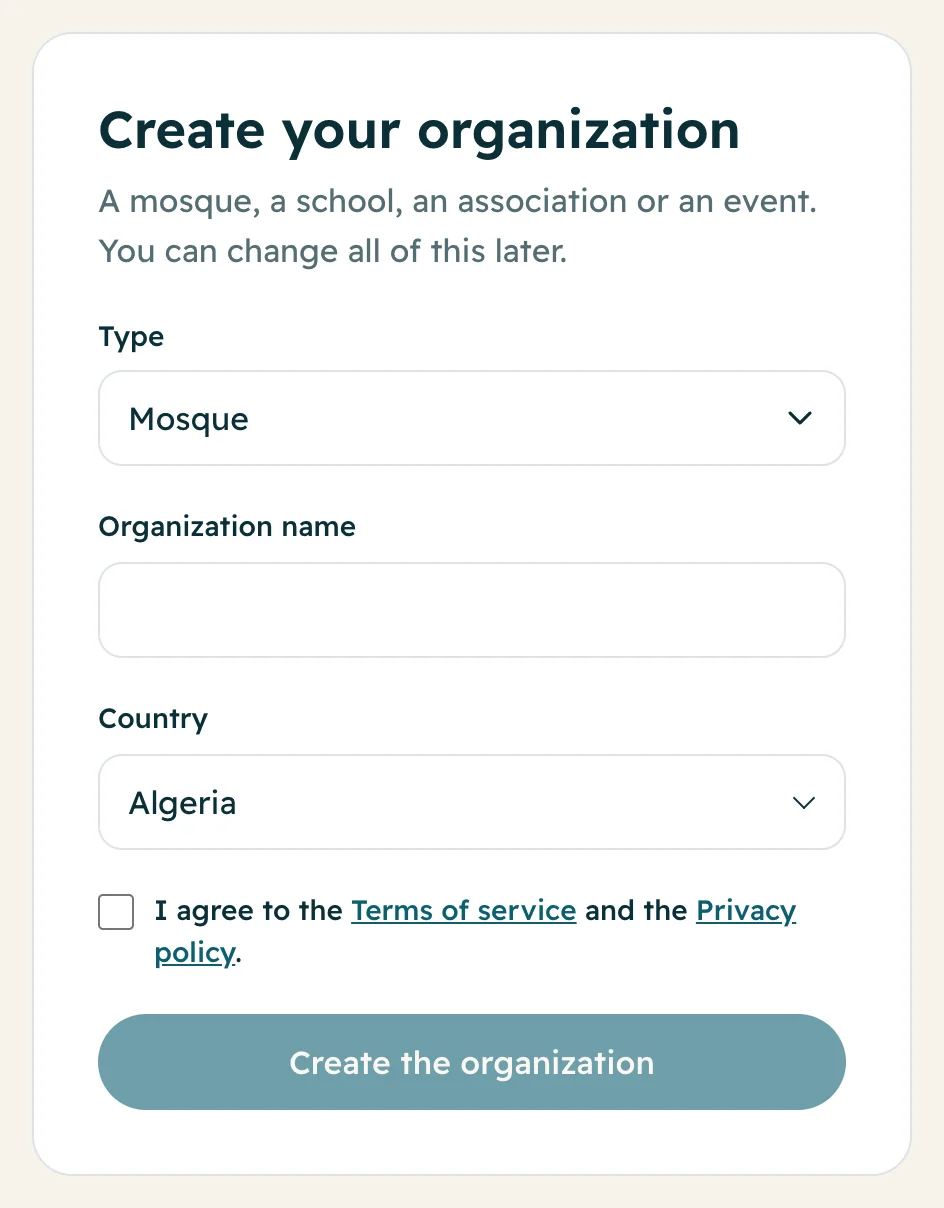
3Create your organization
Choose the Type (Mosque, School, Association, Event or Other), type the Organization name and pick your Country. Tick the box to agree to the terms, then press Create the organization.
Your country sets your currency (US dollars, euros or pounds). You can change the name later in Settings.
-
4Get your free credits
A new organization gets free credits to test it: enough for about 5 minutes in 1 language. If another organization invited you with its link, you get 100 credits (about 10 minutes).
The app then shows Try it now. Press Start, say a sentence, and watch it appear translated.
-
5Add your city and contact details
Open Settings. Add your City (mosques need it for the prayer times on the TV), and if you want, your website and a map link. The map link shows as Directions on your public page.
Questions
Is it free to sign up?
Yes. Creating an account is free, and you get free credits to test it. You pay only when you buy credits or a plan.
I did not get the code. What do I do?
Wait a minute and look in your spam folder. Then press Send a new code. Use your normal email address, without a + in it.
Can a school or an association use it?
Yes. Choose School, Association, Event or Other as the type. Everything works the same.